
Creating a secure and comfortable environment for remote work is more important than ever. One crucial aspect that often gets overlooked is lighting for workspace safety. The right lighting setup not only helps prevent accidents but also supports productivity and well-being. Whether you’re working from a dedicated home office or a multi-purpose space, understanding how to optimize illumination can make a significant difference in your daily routine.
Properly planned lighting reduces eye strain, minimizes trip hazards, and ensures every corner of your workspace is visible. This guide explores practical strategies, fixture choices, and best practices to help you achieve a safer, more efficient home working environment. For those interested in broader home safety topics, you might also find value in learning about walk-in shower grab bar weight ratings, which addresses another key area of household safety.
Why Proper Illumination Matters for Home Offices
Many people underestimate the impact of lighting on workplace safety at home. Insufficient or poorly placed lights can lead to slips, trips, and falls—especially in areas with cables, uneven flooring, or clutter. Inadequate illumination also causes eye fatigue, headaches, and reduced concentration, which can affect both comfort and productivity.
By focusing on lighting for workspace safety, you can create an environment that supports alertness and reduces the risk of accidents. Good lighting also makes it easier to notice hazards, read documents, and use electronic devices without strain.
Key Elements of Safe Workspace Lighting
Achieving optimal lighting involves more than just adding a desk lamp. Consider these core elements:
- Ambient Lighting: This is the general illumination that fills the room. Ceiling fixtures, recessed lights, or large pendant lamps are common sources.
- Task Lighting: Focused light for specific activities, such as reading, writing, or computer work. Desk lamps or adjustable LED fixtures work well here.
- Accent Lighting: Used to highlight certain areas or reduce shadows, making the workspace feel more balanced and less fatiguing on the eyes.
- Night and Pathway Lighting: Motion-sensor night lights or low-level LEDs can prevent accidents during nighttime or early morning hours.

Choosing Fixtures for Enhanced Safety
Selecting the right fixtures is essential for a secure and productive workspace. Here are a few tips:
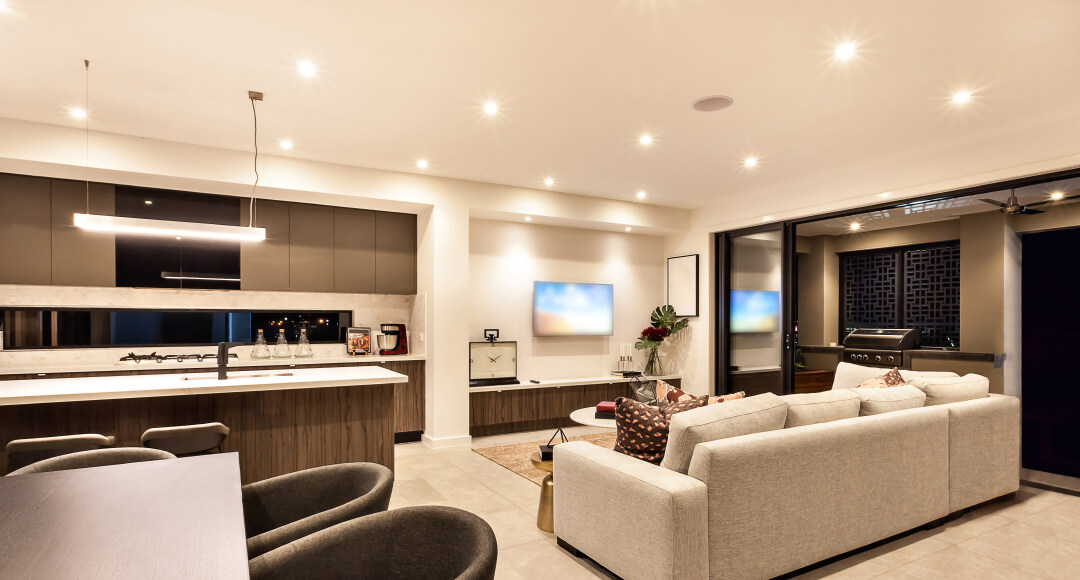
- LED Recessed Lights: These provide even, shadow-free illumination and are ideal for general lighting. They’re energy-efficient and reduce glare, which is especially helpful for long work sessions.
- Adjustable Desk Lamps: Opt for lamps with flexible arms and dimming features. This allows you to direct light exactly where you need it, minimizing eye strain and shadows.
- Motion Sensor Night Lights: Placing these along pathways or near doorways helps prevent accidents during low-light conditions, especially if you move around at night.
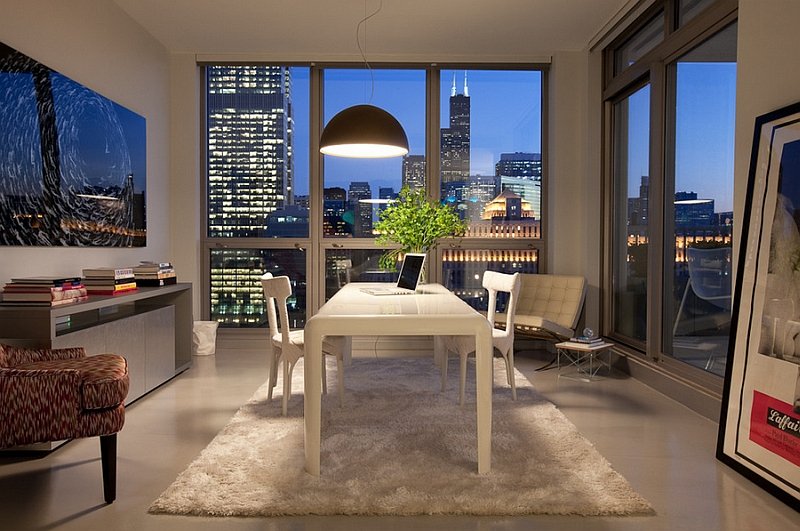
- Oversized Pendant Fixtures: In larger rooms, a statement pendant can provide ample illumination while adding style to your workspace.
Best Practices for Lighting Placement and Adjustment
The location and direction of your lights play a major role in workspace safety. Here are some practical guidelines:
- Eliminate Shadows: Position lights so that your body doesn’t cast shadows over your work area. Overhead or angled lighting helps distribute brightness evenly.
- Avoid Glare: Place screens perpendicular to windows and use blinds or curtains to control natural light. Choose fixtures with diffusers or frosted covers to reduce harsh reflections.
- Layer Lighting: Combine ambient, task, and accent lighting for flexibility throughout the day. This approach allows you to adjust brightness as needed and maintain consistent visibility.
- Highlight Hazards: Use night lights or pathway LEDs near stairs, cables, or uneven flooring to draw attention to potential risks.
Adapting Lighting for Different Home Workspace Needs
Every home is unique, and so are its lighting requirements. Consider these scenarios:
- Shared Spaces: If your workspace doubles as a living or dining area, opt for portable lamps or clip-on fixtures that can be moved or adjusted as needed.
- Small Rooms: Use wall-mounted lights or slim LED bars to save desk space while providing adequate illumination.
- Multi-User Environments: Install dimmable fixtures so each person can set their preferred brightness level without disturbing others.
- Natural Light Integration: Take advantage of daylight by positioning desks near windows, but supplement with artificial lighting to maintain safety during cloudy days or evenings.
Maintaining and Upgrading Your Lighting Setup
Regular maintenance is key to sustaining a safe workspace. Dust fixtures and replace bulbs promptly to ensure consistent brightness. Consider upgrading to LED options, which last longer and consume less energy. If you notice flickering, dimming, or uneven lighting, address the issue immediately to prevent accidents or discomfort.
For those interested in other aspects of home safety and accessibility, exploring topics like walk-in tub frame construction types can offer additional insights into creating a secure living environment.
Frequently Asked Questions
What type of lighting is best for preventing accidents in a home office?
A combination of ambient, task, and accent lighting is most effective. Use ceiling or recessed fixtures for general illumination, adjustable desk lamps for focused tasks, and motion-sensor night lights for pathways. This layered approach minimizes shadows and highlights potential hazards.
How can I reduce eye strain while working from home?
Ensure your workspace is evenly lit, with no harsh contrasts between your screen and the surrounding area. Use adjustable LED lamps with dimming features and position your monitor to avoid glare from windows or lights. Taking regular breaks and adjusting brightness throughout the day also helps.
Are LED lights safe and energy-efficient for home workspaces?
Yes, LED fixtures are both safe and highly energy-efficient. They produce less heat, last longer than traditional bulbs, and provide consistent brightness. Many modern LED options offer adjustable color temperatures and dimming capabilities, making them ideal for workspace safety and comfort.